19 sec
Motion graphics announcement
Illustrated cards and a moving pointer land on the speaker’s key phrases. The portrait window keeps his gestures in view.

Automations for brokerages and agents
Curious about working with us?
 Jeramiah
 ChrisReal estate agent
You send the footage and get back a finished short film. Here is how an interview, an announcement and a screen recording came out. Choose one, then press play.
Talk about video for your team19 sec
Illustrated cards and a moving pointer land on the speaker’s key phrases. The portrait window keeps his gestures in view.
15 sec · Silent
A screen capture becomes a short product film. The timeline shows when the title and pointer appear, followed by the frames used to review the edit.
1 min 11 sec
Each spoken pick advances a neighborhood in the bracket above the speaker. The edit moves from a wide shot for the question to a tighter frame for the answer.
17 sec · Portfolio excerpt
An on-camera interview anchors the profile. Neighborhood views and details of the home give the viewer a sense of the area the agent serves.
For brokerage owners
We build each one for your office and keep it running every month. Your team stops doing the job and still gets the result.
On your desk 0
Nothing left on your desk.
Handled for you, every month 6Open any job to see how it runs
Three of them, finished. Tap through to see what lands on your desk.
Your agents send updates the way they already do. Tick one to watch it reach Monday’s briefing.
Select a field note to add its agenda item here.
Each step reaches the right person on the right day. Check one off to see the next one go out.
Up next
Listing mentorWalk through a sample listing packet together using the office checklist.
Every file is checked against your office checklist before it reaches you. Open a flag to see what was caught.
Seller signature Blank field
The office checklist calls for a signed seller page. Verify the original before asking the seller to sign again.
Property photos Attached
Floor plan Missing
The sample marketing checklist calls for a floor plan. Confirm with the listing agent whether one belongs in this packet.
Who does the work
I’ve spent the last three years automating the work that repeats, so the people in the business don’t have to do it. My rule: you should be buying finished work, not homework. Most of what we build falls into three jobs.
How it works
That first visit is the only real work we ask of you. Your coordinator opens last week’s report and walks us through it. Which updates arrive by email? What needs a phone call? After that, the building is ours.
We pick one recurring task and agree on what a finished result looks like. You get a proposal covering what we’ll build and the access it needs.
We test it on a real example from your office. You look at the result and tell us what’s off, and we fix it. Nobody on your team touches the tool.
From then on the work shows up finished, wherever you already look: your inbox, your CRM, your shared folder. We watch it, fix what breaks, and change it when your office changes.
Where we work
We set everything up in person, so our area is the part of Los Angeles we can reach.
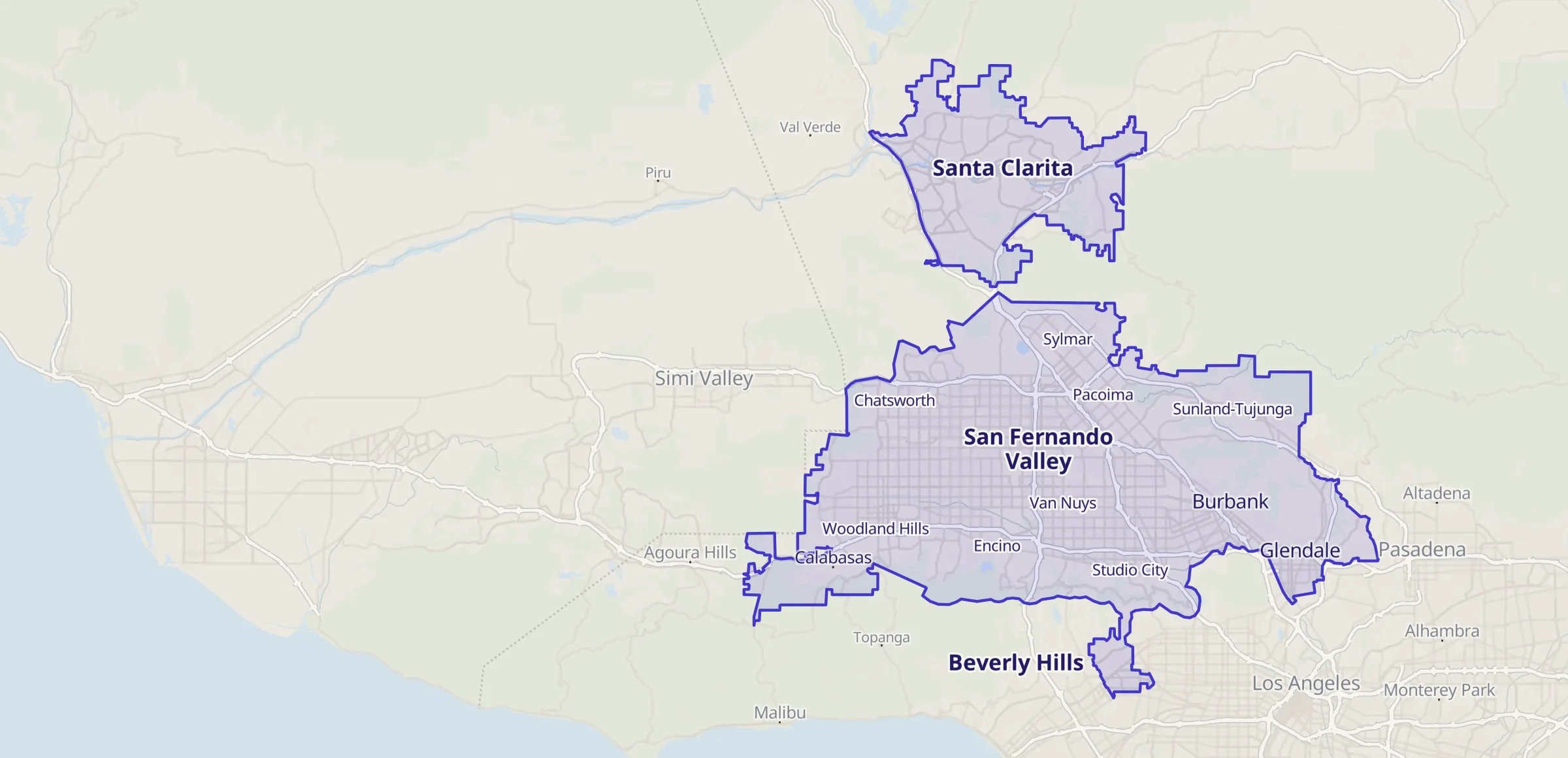
Simi Valley is outside our travel area.
Data, access & value
Almost nothing. One visit to show us how the job is done today, and one look at the first results to tell us what’s off. After that they keep working the way they already do, and the finished work shows up.
Before we build anything, we trace one example from where it starts to the person who receives the result. That shows which records are needed, whether names or contact details can be left out, and where the information is processed. You choose between cloud and privately hosted options.
We match permissions to the job. For example, a new agent might need the approved listing checklist, while only the coordinator and broker need access to a flagged client file. You choose who can review, approve, and share each output.
Take the weekly report. Note how long it takes today and how often the coordinator chases an update. Then compare once it runs on its own. Those figures tell you whether to keep it.
Client implementation
Christopher was ready to try AI from the first conversation. The full case study will cover what was implemented, how it fit into his day, and which results he can confirm.
Case study awaiting client review
For individual agents
If you work on your own, bring the one task that follows you home. After a showing, for example, your notes can become a follow-up that is already drafted, checked against the property details, and waiting for your OK to send.
Tell us the taskFree 20-minute discovery call
Bring one job you’d like to never do again, with client details removed. We’ll tell you whether we can take it over, what we’d need from you, and what a proposal would cover.
Book a call Available daily, 9 a.m.–5 p.m. Pacific. Prefer email? [email protected]